


Engine Improvements
Some basic improvements to make the game support more modern systems.
Widescreen Support #
Now the game supports wide and ultrawide resolutions. Just go to
Options > Video Setup > Widescreen.
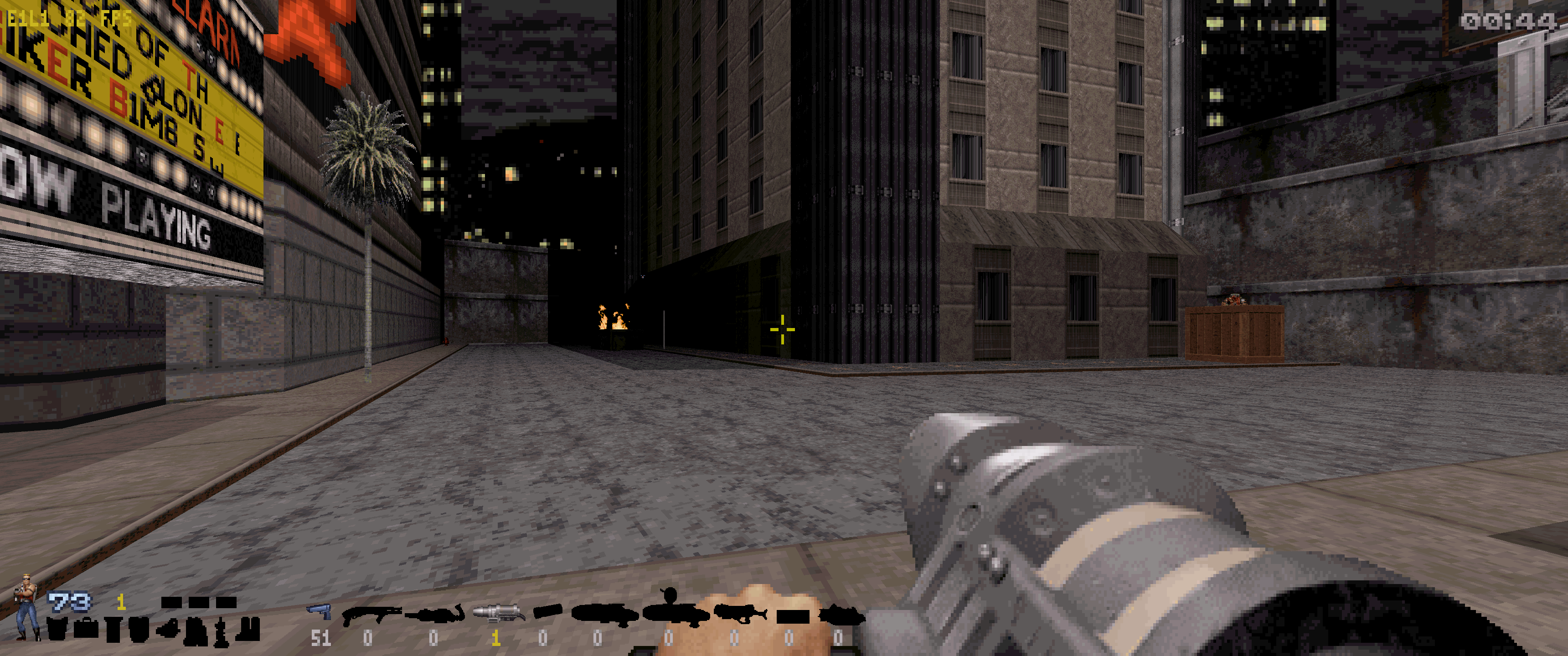 The game now also uses Duke Nukem 3D World Tour weapon model sprites at wide-screen resolutions, so the weapons can be properly aligned at the middle of the screen without showing the cut edges. You need to place the Duke Nukem 3D World Tour ART files in the game's directory in order for it to work.
Check the configuration guide.
The game now also uses Duke Nukem 3D World Tour weapon model sprites at wide-screen resolutions, so the weapons can be properly aligned at the middle of the screen without showing the cut edges. You need to place the Duke Nukem 3D World Tour ART files in the game's directory in order for it to work.
Check the configuration guide.
Win7 Color Fix #
You can enable a color fix for Windows 7 at the menu
Options > Video Setup > Win7 Color Fix.
IPv6 Support #
Now the game supports IPv6 connections. It will automatically decide which protocol to use based on the addresses written on the
netlist.txtfile. This eliminates connection problems with port forwarding as long as your ISP offers IPv6. Usually the launcher program will take care of
netlist.txtfor you. It should fill up the file in the following format: For IPv6:
interface [::]:23513
mode peer
allow [fd3e:dc4c:085c:09e7:cbbe:0c82:8ea1:75b1]:23513
allow [21dc:7b49:b898:2ec3::9616]:23513
...
For IPv4 (original):
interface 0.0.0.0:23513
mode peer
allow 123.456.789.123:23513
allow 321.654.987.321:23513
...
Game Crashes #
Some known game crashes that happens in specific situations have been fixed. For example:
- The crash that happens in E4L11 (Area 51) when going through the air shaft in the outside area.
- The crash that happens in E1L2 (Red Light District) when viewing the automap near the dark corridor.