Teamplay Improvements
There are various optional features to make teamplay more fluid.
Team Spawn Points #
It is possible to create a map which will spawn each team at determined spawn points. Check the mapping guide to learn how to do it. You can disable this feature and make the game work in default mode at the menu
Netplay Options > NetFlags > [TEAMS] Mixed Teaml Spawn Points.
Team Smart Autoaim #
By default, when playing team based modes, your autoaim will never aim on your allies, just like it always worked on COOP mode. This feature can be disabled on the menu
Netplay Options > NetFlags > [COOP/TEAMS] Autoaim On Allies.
Team Smart Nightvision #

By default, in proDuke the Nightvision will not glow teammates and will also give maximum glow (i.e. glowed players will not be affected by sector shade). The original Nightvision behavior can be reverted (i.e. glow all players equally with normal glow) by toggling the NetFlag
Netplay Options > NetFlags > [DOS] Useless Nightvision.
Team Outlines #

One of the most game changing features when playing team based modes is the team outlines. With this feature enabled, a glowing outline will be displayed arround your teammates and you will be able to see them through walls! You can enable this feature in the menu
Netplay Options > NetFlags > [COOP/TEAMS/TERM] Outlines.


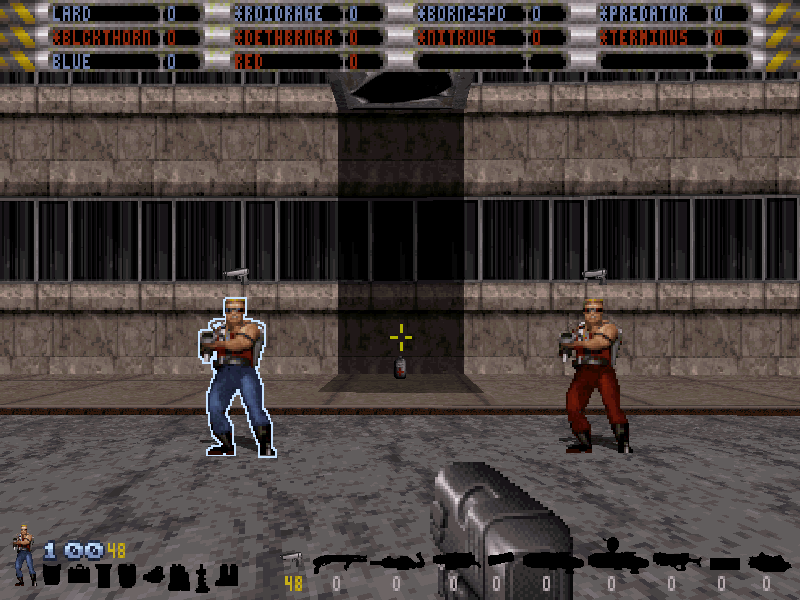 The outlines are visible through everything in the game. Note how even the weapon will be visible.
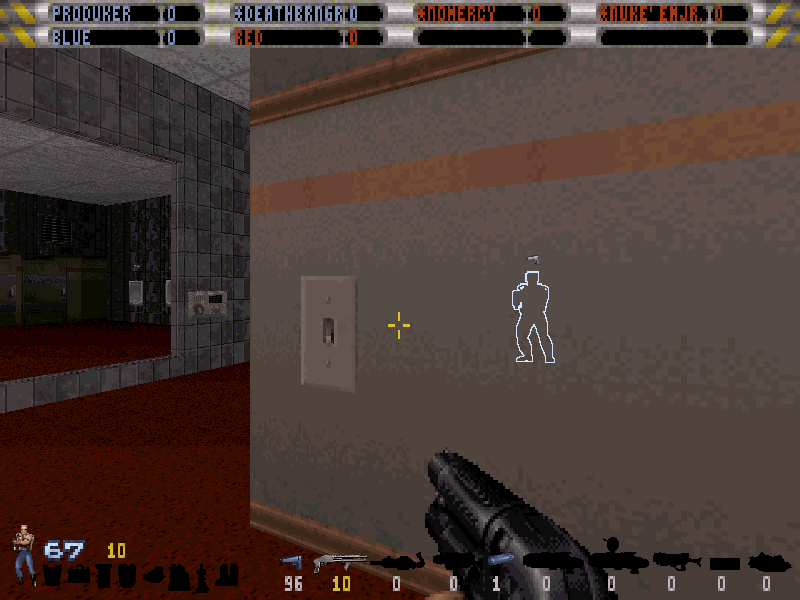 If the netflag
 Netplay Options > NetFlags > [TEAMS] Colored Tripbombsis enabled, your team's tripbombs will also have an outline and the laser will be visible through walls too!
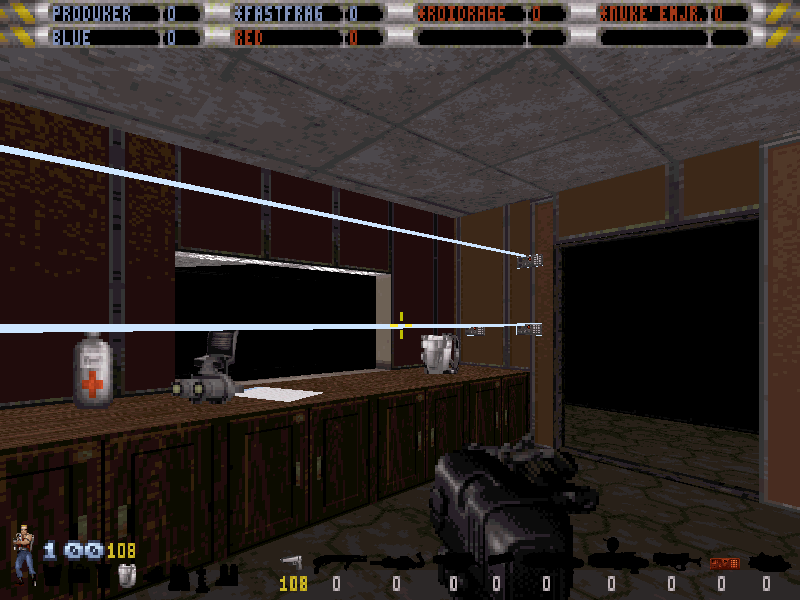
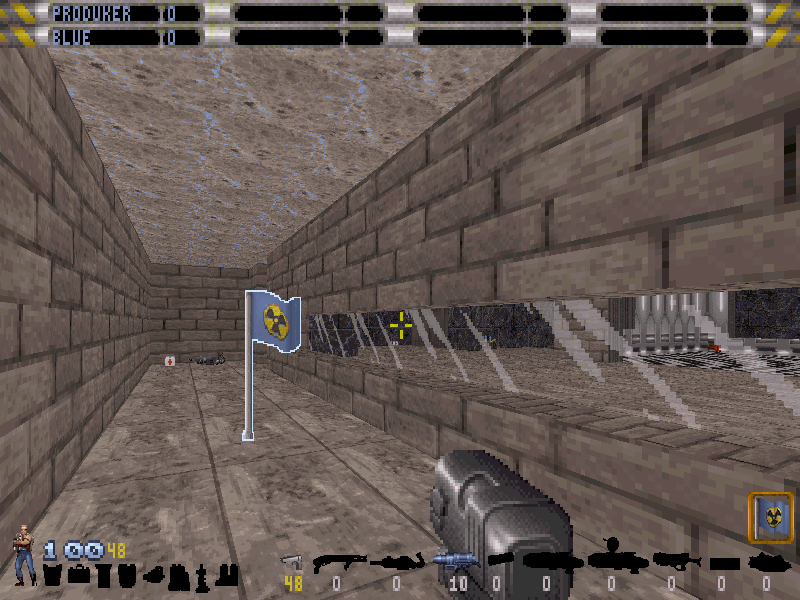
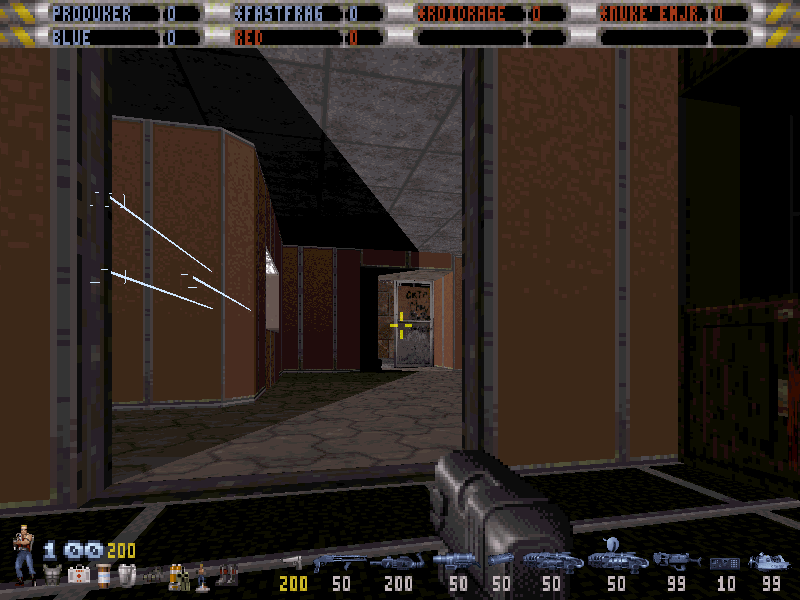 If the netflag
 Netplay Options > NetFlags > [CTF] Outline On Flagis enabled, all flags in CTF modes will have an outline and all teams will be able to see it through walls!


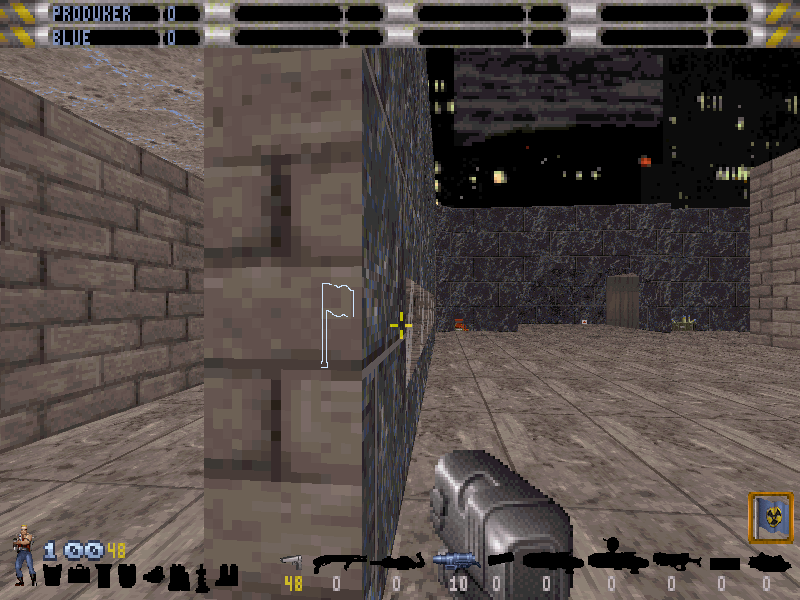
Team Overhead Info #
Displays your allies nickname and current health. You can enable this feature at the menu
Netplay Options > NetFlags > [COOP/TEAMS/TERM] Overhead Info.
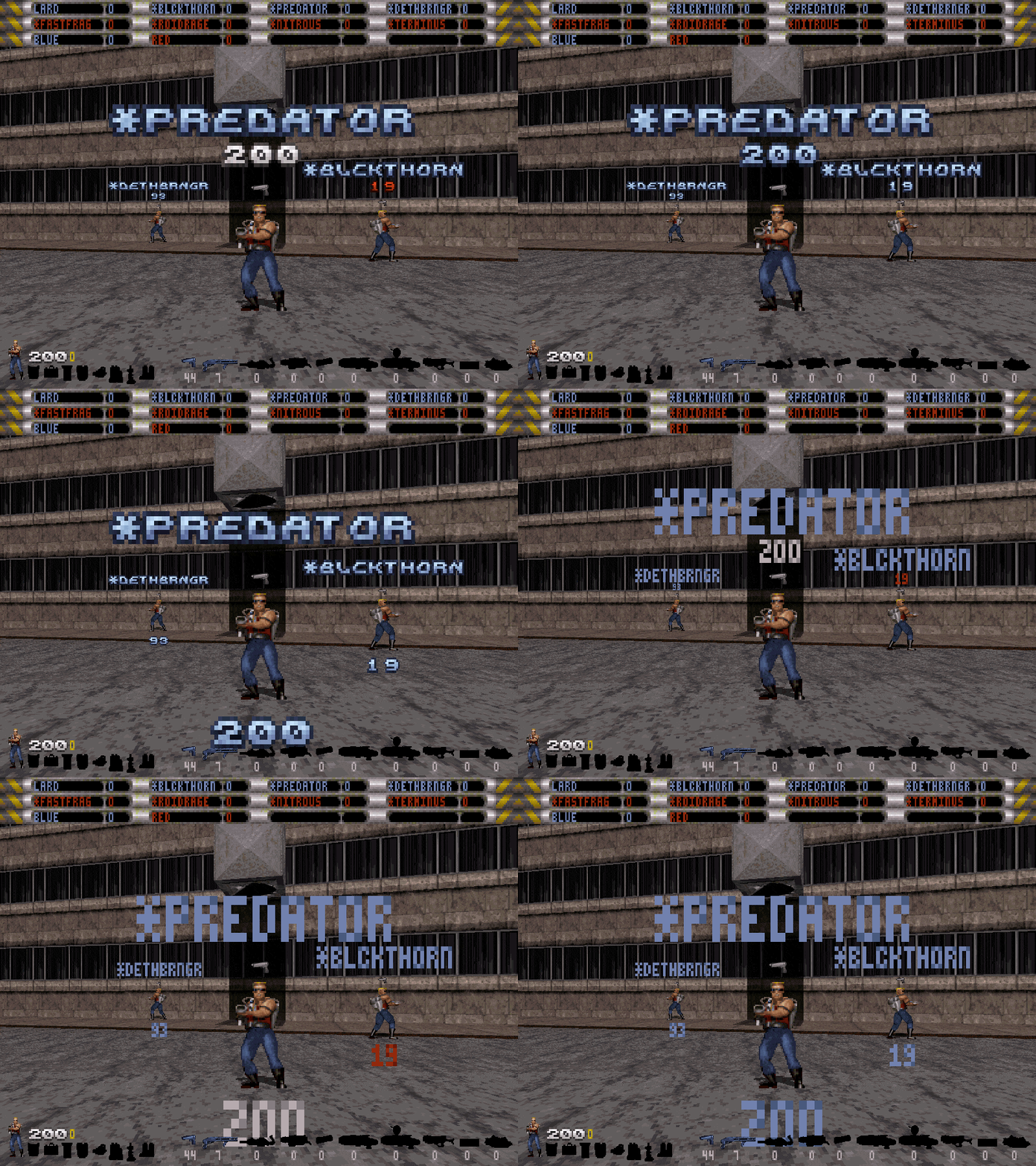
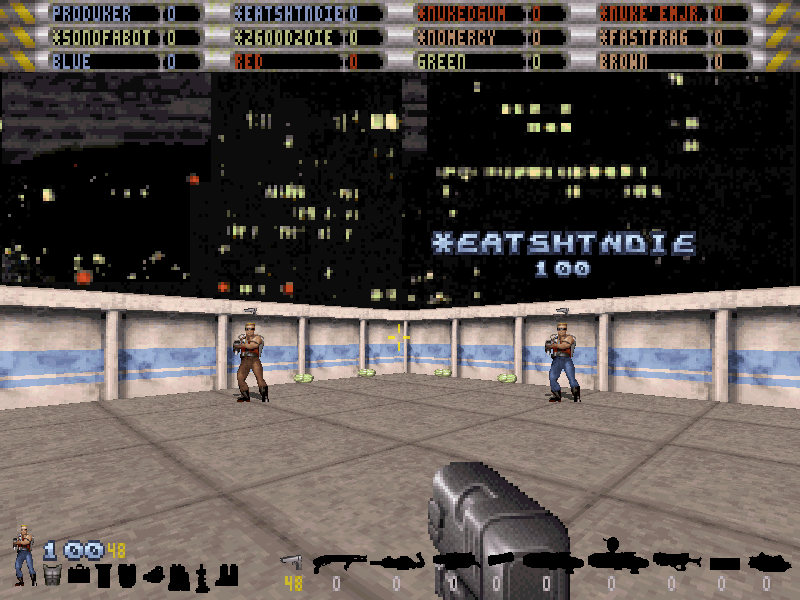 The health display can be set to "fixed color" or "dynamic color". You can also change the position and font of the display in the menu
 Options > Game Options > Overhead Info.
| MODE | FONT | HEALTH POSITION | COLOR |
|---|---|---|---|
| 1 | Mini Font | Above | Dynamic |
| 2 | Mini Font | Above | Fixed |
| 3 | Mini Font | Beneath | Dynamic |
| 4 | Mini Font | Beneath | Fixed |
| 5 | Game Font | Above | Dynamic |
| 6 | Game Font | Above | Fixed |
| 7 | Game Font | Beneath | Dynamic |
| 8 | Game Font | Beneath | Fixed |
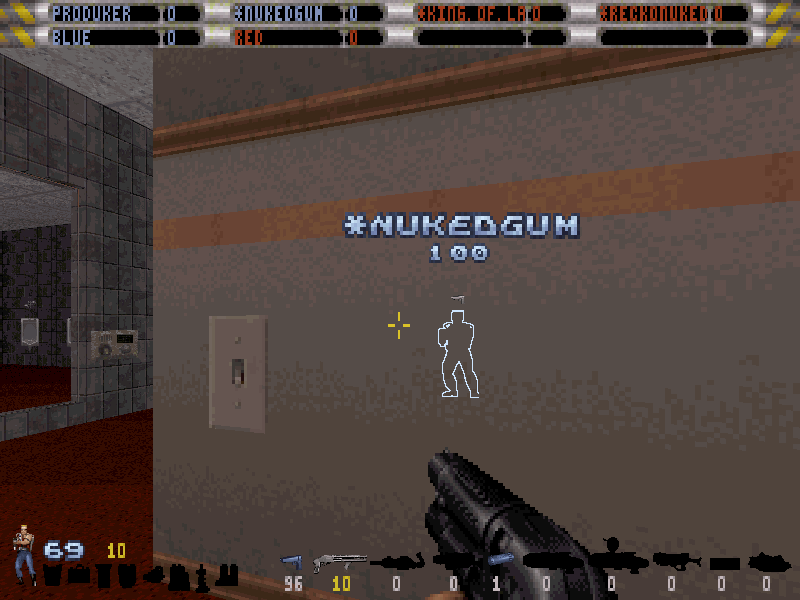
 If the outlines are enabled, the info display will be visible through walls as well!
Team Chat #
You can send a message to only your team or to a specific player.
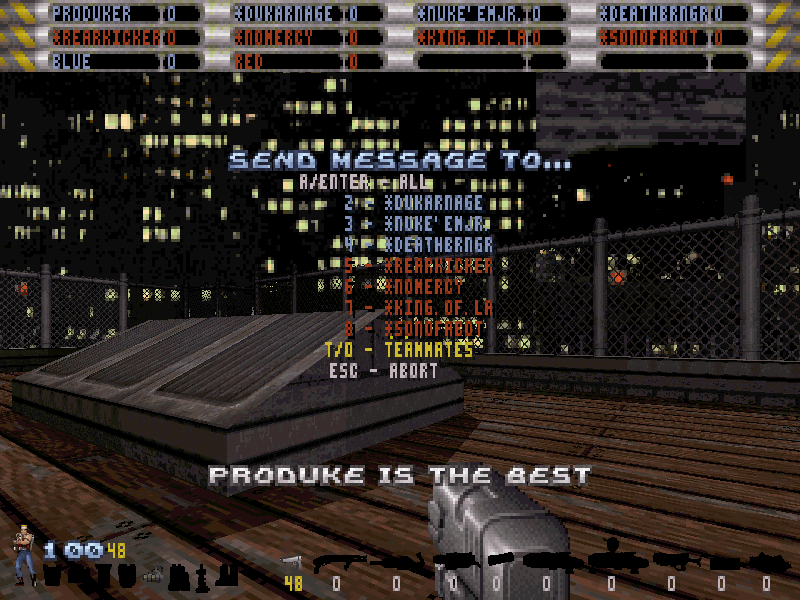


| SHORTCUT | DESCRIPTION |
|---|---|
| * |
Send the message to everyone. Example: Typing *proDuke is the futurewill send the message proDuke is the future to everyone. |
| # |
Sends the message only to your team. Example: Typing #CTF is amazing!will send the message CTF is amazing! to your team allies. |
| @P |
Send the message only to player P, where P is the player number. Example: Typing @3You suck!will send the message You suck! to the player 3 (the player order is the same on the score bars, counting from 1 onwards). |
Options > Game Options > Chat Mode.
| MODE | DESCRIPTION |
|---|---|
| CLASSIC | In this mode, before the message is sent, the game will ask for the message recipient (like in the screenshot above), unless the recipient shortcuts are used. |
| BROADCAST | In this mode, the game doesn't ask who you want to send the message to, it just sends it to everyone. If you want to send a private message to a player or your team then you'll have to use chat shortcuts. |
| TO TEAM | In this mode, the game doesn't ask who you want to send the message to, it will send the message to your team if playing a team mode, otherwise it just sends it to everyone. If you want to send a private message to a player or to everyone then you'll have to use chat shortcuts, like explained previously. |
Team Colored Tripbombs #

Tripbombs laserlines will be colored according to the team that has placed them. You can enable this feature in the menu
Netplay Options > NetFlags > [TEAMS] Colored Tripbombs. Note that, if enabled, map spawned tripbomb laserlines will be gray colored, to avoid confusion.
Team on Automap #
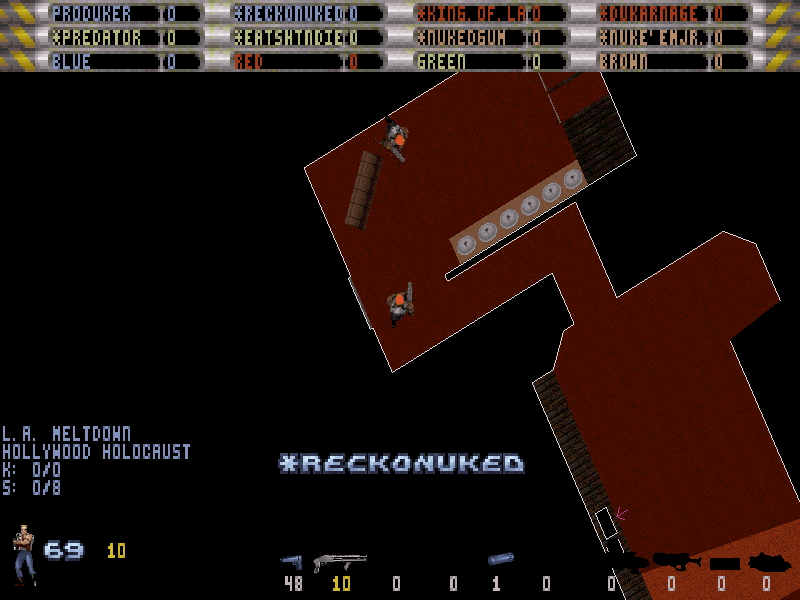
You teammates will be shown on the automap. This can be disabled by toggling
Netplay Options > NetFlags > [COOP/TEAMS] Disable Spycam/Mapview.
Team View #
You can peek at your teammates screen when pressing the "see coop view" key. This can be disabled by toggling
Netplay Options > NetFlags > [COOP/TEAMS] Disable Spycam/Mapview.
Team Friendly Fire #
The original Friendly Fire option is now extended to team games (i.e. if toggled off, you will not be able to hurt your teammates). This feature can be enabled at the menu
Netplay Options > NetFlags > [COOP/TEAMS] Friendly Fire. Note that proDuke fixes the bug that made it impossible to kill yourself in case Friendly Fire was disabled, but that behavior can be restored via the netflag
Netplay Options > NetFlags > [DOS] FFire excludes self.
Team Scorebar Modes #
You can choose between three team scorebar modes in the menu
Options > HUD/Menu Setup > Team Scorebar.

| MODE | DESCRIPTION |
|---|---|
| FULL | In this mode you can see each players' scores and a separate bar at the bottom that shows the total score of each team. |
| SHARED | In this mode the score of all players will be the team score, like in Shadow Warrior. There will be no separate team scorebar. |
| MINIMALIST | In this mode, and if playing a team based game mode, only the team scorebar will be shown, occupying less space in the screen. |
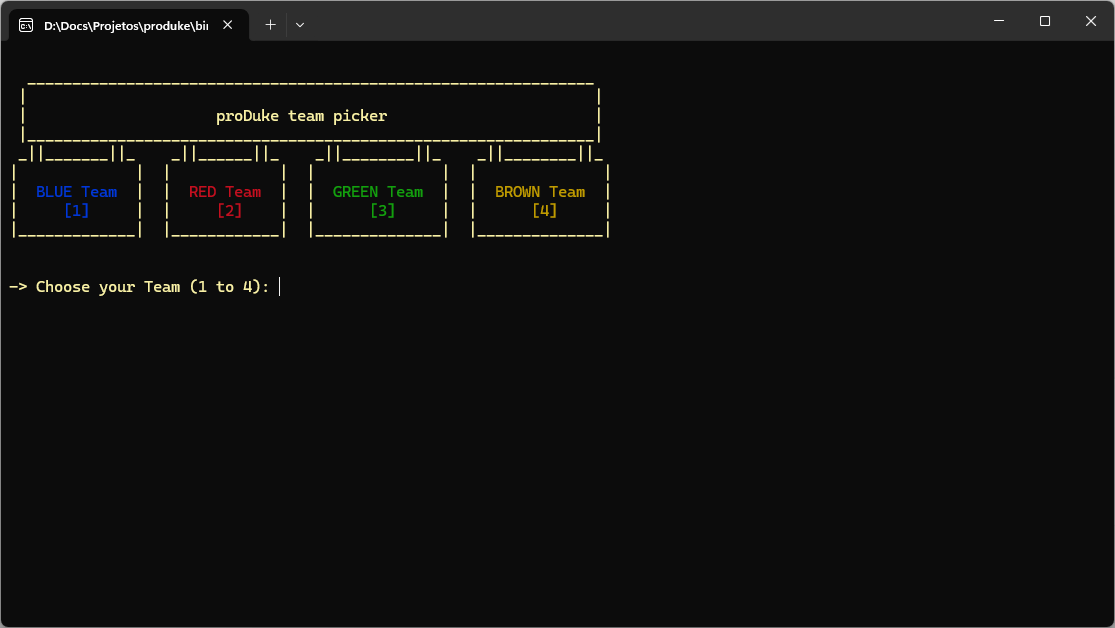
Team Picker #
For team based modes, a team picker is shown at the terminal. After each player has selected a team, the game will start. The game needs to be started with the
/teampickercommand line.